DX Complaints 2026 — How to Complain About DX Delivery and Get It Resolved
Before raising a formal DX complaint, check the status of your delivery using the DX tracking tool at the top of this page — it resolves a significant number of queries in under 10 seconds without a single call or email. If tracking confirms something has genuinely gone wrong — a missed delivery that was never attempted, a parcel delivered to the wrong address, a damaged item, a lost consignment, or a driver conduct issue — this guide gives you the exact steps to raise a DX delivery complaint in 2026, what DX is obligated to do in response, and how to escalate if they fail to act.
DX Complaints — The Official 2026 Process
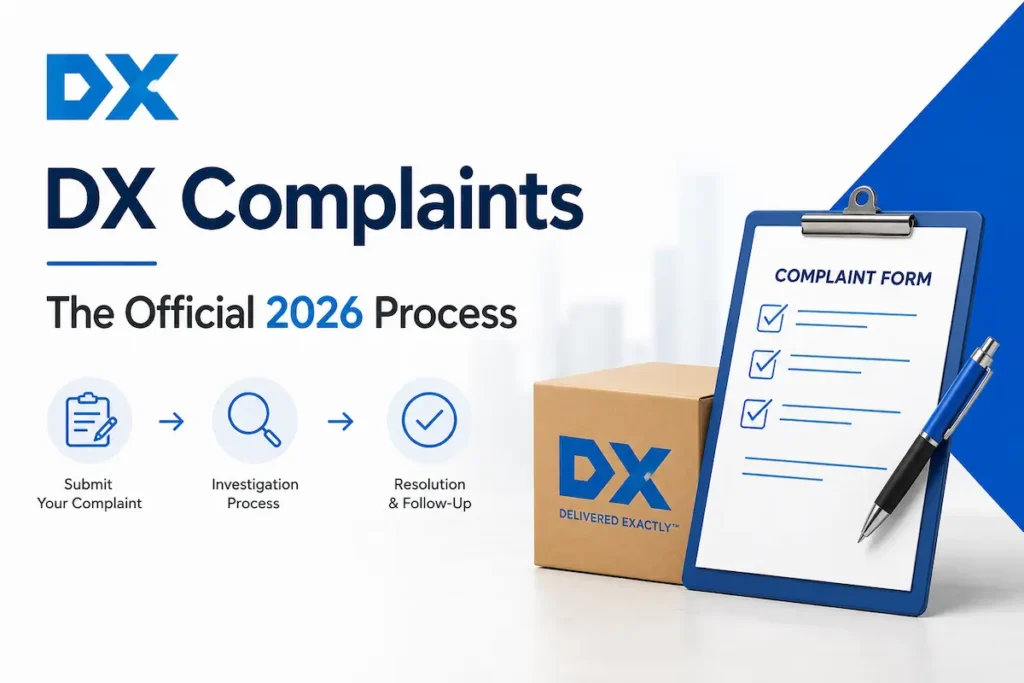
DX has a published complaints procedure available at dxdelivery.com/your-dx/complaints-procedure and dxlogistics.com/your-dx/complaints-procedure. There are 3 official channels through which you can submit a complaint directly to DX in 2026:
Online complaint form — The primary and most effective written route. Go to dxlogistics.com/contact-us/delivery-general, select “Feedback,” and complete the form with full details of your complaint. DX endeavours to acknowledge your complaint within 24 hours of receipt and to provide a full response within 72 hours.
Phone — Call the relevant DX customer service line matched to your tracking number type. For DX Express items with 9–13 digit tracking numbers, call 0333 241 5700, open Monday to Friday 8 AM–6 PM and Saturday 8 AM–4 PM. For DX Freight items with 8 digit consignment numbers, call 0333 241 1100, open Monday to Friday 8 AM–6 PM and Saturday 8 AM–3 PM. For DX 2-Man and general complaints, call 0333 241 1188, open Monday to Friday 9 AM–5 PM.
Written complaint to the registered office — For formal, escalated complaints that have already gone through the online form without satisfactory resolution. Write to DX at: Ditton Park, Riding Court Road, Datchet, Slough, SL3 9GL. Mark the envelope “Customer Complaint” and include your full tracking number, delivery address, and a summary of all previous contact.
Calls to 0333 numbers cost no more than calling a standard 01 or 02 geographic number from your fixed line or mobile and are included in most UK mobile call packages.
DX also requests you provide as much information as possible when raising a complaint, including your name and the original address the item was being delivered to, and your name and address if different from the delivery address.
Evidence Checklist — What to Gather Before You Complain
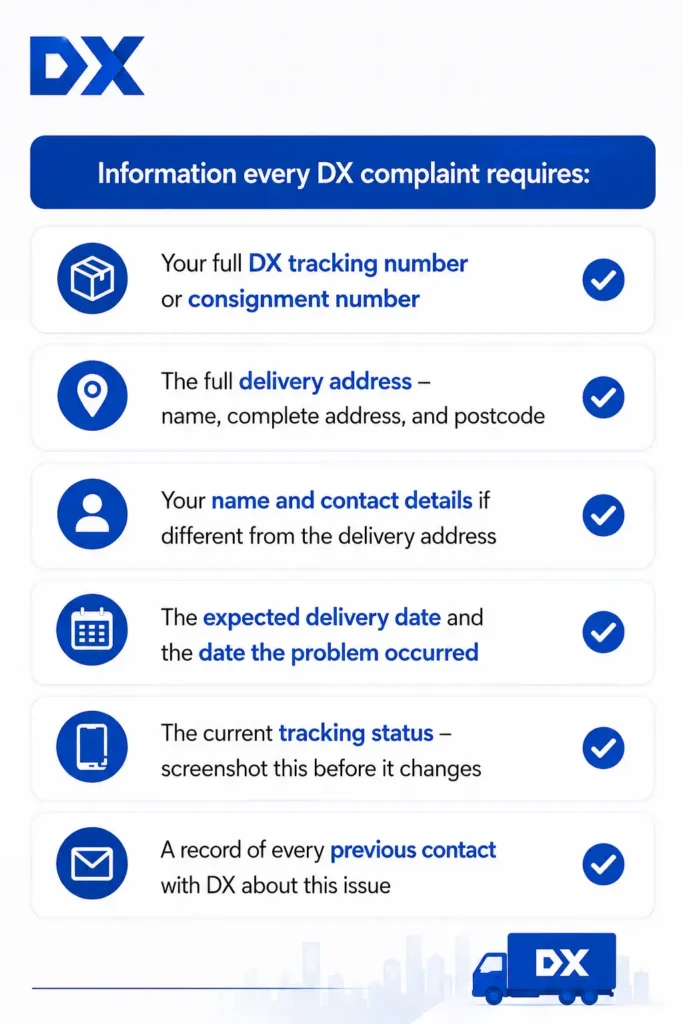
Gathering your evidence before contacting DX means your complaint is processed faster and your case is significantly stronger if you need to escalate.
Information every DX complaint requires:
Additional evidence by complaint type:
How to Complain About a Phantom DX Delivery Attempt
The most frequently raised DX complaint in 2026 is the phantom delivery attempt — where tracking shows “Delivery Attempted” or “Card Left” but the recipient was home, nobody came to the door, no knock or ring was heard, and no calling card was found. Multiple reviewers describe watching trackers show drivers in neighbouring streets before the “sorry we missed you” notification appears, with no van having come anywhere near the property.
There are 5 steps to raise this specific complaint effectively:
Step 1: Document everything immediately
The moment you receive a “Delivery Attempted” notification while you were clearly home, note the exact time it arrived and the time shown on the notification. If you have CCTV or a doorbell camera, save the footage immediately before it overwrites. This footage is your single strongest piece of evidence for a phantom delivery complaint.
Step 2: Screenshot your tracking status
Take a screenshot of the exact tracking status — including the wording, date, and time shown — before it updates or changes. Tracking statuses sometimes change after investigations are opened, removing your record of what was claimed.
Step 3: Call DX — do not just rebook online
Call 0333 241 5700 (Express) or 0333 241 1100 (Freight) and state explicitly that you have evidence no delivery was attempted and no calling card was left. This triggers a driver investigation rather than simply scheduling another attempt. Ask for a complaint reference number before ending the call.
Step 4: Submit a written complaint
Submit a complaint via dxlogistics.com/contact-us/delivery-general stating that no delivery attempt was made, that you were present at the address throughout the delivery window, and that you have evidence — CCTV footage, doorbell camera recording, or a detailed account of being home all day. Request that DX investigate the driver’s GPS and route data for the consignment.
Step 5: Contact the sender simultaneously
Contact the retailer or sender in parallel. If phantom attempts repeat across rebooked dates — a pattern confirmed in multiple 2026 reviews where customers experienced failed attempts on Monday, Tuesday, and Wednesday of the same week — the sender has greater authority to raise a formal investigation with DX at business account level than you do as a recipient.
How to Complain About a DX Parcel Delivered to the Wrong Address
Wrong address delivery is a distinct complaint from a phantom delivery and requires a different resolution path. This includes items delivered to a house seven metres away, items left at an entirely different street, and items scanned as delivered with GPS showing a location that is not your property.
There are 4 steps:
Step 1: Track immediately to confirm the GPS delivery location
Enter your tracking number into the DX tracker at the top of this page. If the status shows “Delivered” and you have not received the item, check whether an ePOD (Electronic Proof of Delivery) photograph or GPS location is available through DX’s confirmation email or SMS. A GPS stamp showing delivery at an address other than yours is powerful evidence.
Step 2: Check with immediate neighbours
Before contacting DX, quickly check with immediately neighbouring properties — DX delivery complaints about items left seven metres from the correct address have been confirmed in recent reviews. If a neighbour has your parcel, retrieve it directly and report the misdelivery to DX as a conduct issue rather than pursuing a formal lost parcel claim.
Step 3: Report to DX with all evidence
If the parcel cannot be found nearby, call 0333 241 5700 immediately and state that your tracking shows “Delivered” but you have not received the item and it was not left at your address. Submit a written complaint at dxlogistics.com/contact-us/delivery-general with your tracking number, the delivery GPS coordinates if available, and your full delivery address confirming the discrepancy.
Step 4: Contact the sender and escalate simultaneously
Contact the retailer or sender on the same day. For a wrong address delivery the sender has the right to raise a formal investigation with DX and to claim the value of the item from DX if it cannot be recovered. Do not wait for DX to resolve this before contacting the sender — time matters because items left at wrong addresses can disappear.
How to Complain About a Damaged DX Parcel
Receiving a damaged parcel through DX entitles you to a formal complaint and, depending on the sender’s insurance arrangement, potential compensation.
There are 4 steps:
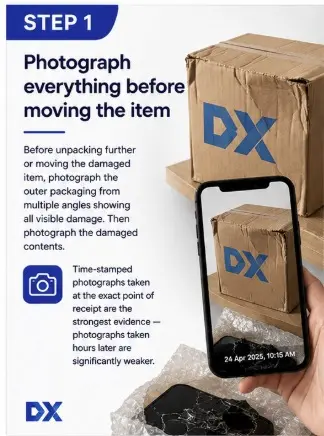
Step 1: Photograph everything before moving the item
Before unpacking further or moving the damaged item, photograph the outer packaging from multiple angles showing all visible damage. Then photograph the damaged contents. Time-stamped photographs taken at the exact point of receipt are the strongest evidence — photographs taken hours later are significantly weaker.
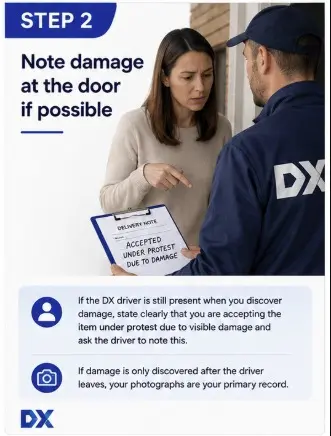
Step 2: Note damage at the door if possible
If the DX driver is still present when you discover damage, state clearly that you are accepting the item under protest due to visible damage and ask the driver to note this. If damage is only discovered after the driver leaves, your photographs are your primary record.
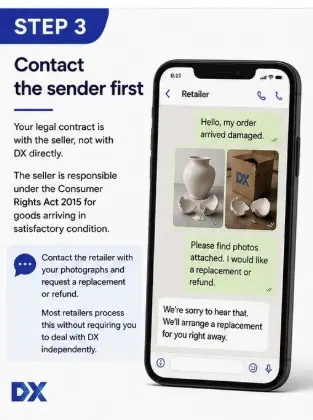
Step 3: Contact the sender first
Your legal contract is with the seller, not with DX directly. The seller is responsible under the Consumer Rights Act 2015 for goods arriving in satisfactory condition. Contact the retailer with your photographs and request a replacement or refund. Most retailers process this without requiring you to deal with DX independently.
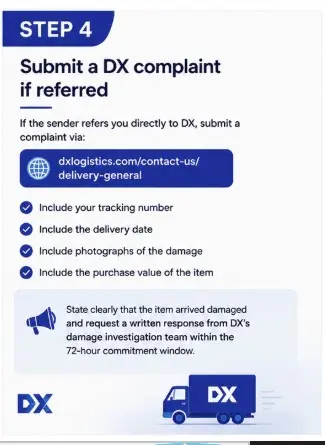
Step 4: Submit a DX complaint if referred
If the sender refers you directly to DX, submit a complaint via dxlogistics.com/contact-us/delivery-general with your tracking number, delivery date, photographs of the damage, and the purchase value of the item. State clearly that the item arrived damaged and request a written response from DX’s damage investigation team within the 72-hour commitment window.
How to Complain About a Lost DX Parcel
A lost DX parcel — one that has not been delivered and whose tracking has shown no movement for more than 5 working days — requires a coordinated approach between you and the sender.
There are 4 steps:
🔍Step 1: Confirm it is lost, not delayed
Check the DX tracker at the top of this page for the last scan location and date. Items in overnight transit between depots sometimes show no movement for 24–48 hours without being lost. If there has been no tracking update for more than 5 working days on an Express item or more than 7 working days on a Freight item, treat it as a potential lost consignment.
📧Step 2: Contact the sender immediately
The sender holds the commercial contract with DX and has the authority to raise a formal lost item investigation through their business account — a significantly more powerful escalation route than a recipient complaint. Contact the retailer and ask them to raise this with DX on your behalf while you also contact DX directly.
📝Step 3: Submit your own complaint in parallel
Go to dxlogistics.com/contact-us/delivery-general and submit a complaint stating the tracking number, the delivery address, the last known tracking status and date, and the value of the item. Request a written investigation outcome within DX’s stated 72-hour response window.
💳Step 4: Pursue a refund through your payment method if unresolved
If neither DX nor the sender resolves the lost parcel within a reasonable period, contact your payment provider. For credit card purchases over £100, Section 75 of the Consumer Credit Act gives you a right to a full refund from your card issuer. For debit card purchases, use your bank’s chargeback process. Contact Citizens Advice on 0808 223 1133 (free) for guidance on your specific situation.
How to Complain About a DX Driver
Driver conduct complaints — including false delivery records, rough handling of items, abusive or rude behaviour, littering at a recipient’s property, or failure to follow delivery instructions — should be raised as a formal complaint distinct from the underlying delivery issue.
There are 3 steps:
Step 1: Record every detail immediately
Note the date, time, and location. Record the van’s registration plate if visible. Write down a description of the driver and a factual account of the behaviour. Save any CCTV or doorbell camera footage immediately.
Step 2: Call DX and state it is a conduct complaint
Call 0333 241 5700 (Express) or 0333 241 1100 (Freight) and state specifically that you want to raise a driver conduct complaint — not just a redelivery query. Ask for a complaint reference number. If the driver’s behaviour was threatening, physically aggressive, or constituted a criminal act, also report it to police on 101 (non-emergency) as well as to DX.
Step 3: Follow up in writing with full details
Submit a written account at dxlogistics.com/contact-us/delivery-general with all evidence from Step 1. Request written confirmation that the complaint has been logged and that an internal investigation will be conducted. DX’s commitment is to acknowledge within 24 hours and respond within 72 hours.
How to Complain About an Urgent or Medical DX Delivery
A specific category of DX delivery complaint that demands urgent handling is the failure to deliver time-sensitive or medically critical items. Recent reviews confirm cases where recipients waited all day for life-saving medication that was never delivered, and where DX’s automated phone system made it impossible to speak to a human quickly enough to resolve the situation.
If your complaint involves an urgent item — medication, a passport needed before travel, a legal document with a court deadline, medical specimens — there are 3 steps that differ from standard complaint procedure:
Step 1: Call immediately and state the urgency explicitly
Call 0333 241 5700 the moment the delivery window passes without your urgent item arriving. State at the very start of the call the nature of the item and the specific deadline — for example, “I am waiting for life-saving medication that has not arrived and I have a prescription running out” or “I need a passport by tomorrow morning for an international flight.” This changes how urgently the complaint is handled internally.
Step 2: Contact the sender simultaneously
Do not wait to see what DX does before contacting the sender. If your medication was sent by a pharmacy or your passport by a government body, contact them immediately. These organisations have direct escalation routes with DX that are not available to recipients.
Step 3: Escalate within the same day
If DX cannot confirm redelivery on the same day within one hour of your call, submit an immediate written complaint at dxlogistics.com/contact-us/delivery-general stating the urgency and the specific deadline. Use the complaint template below and mark the subject line “URGENT — Time-Critical Delivery.” If your health is at risk due to non-delivery of medication, contact your GP or pharmacy about an emergency supply while pursuing the complaint.
DX Complaint Response Times
DX publishes the following official complaint response commitments:
Acknowledgement: DX endeavours to acknowledge your complaint within 24 hours of receipt.
Full response: After fully investigating your complaint, DX will provide a response within 72 hours of receipt.
In practice, the 72-hour window is the one most frequently raised in complaints. If you submit at 9 AM on Monday, you should have a substantive response by 9 AM on Thursday at the latest. If you do not receive an acknowledgement within 24 hours, use this as immediate grounds for escalation — either by calling DX directly referencing your submission date and time, or by opening a case on Resolver.
Tip: Submit complaints through the online form rather than by phone wherever possible. The form creates a time-stamped submission record you can reference if DX fails to respond within their stated timeframes. Phone calls leave no record and give you nothing to reference when escalating.
DX Complaints Escalation Path 2026
If DX fails to resolve your complaint satisfactorily or fails to respond within their stated 72-hour window, there are 3 escalation routes available in 2026:
Step 1: Escalate in writing to DX’s registered office
Write formally to DX at Ditton Park, Riding Court Road, Datchet, Slough, SL3 9GL. Mark the envelope “Formal Complaint — Escalation.” Include your original complaint reference number, the date you submitted it, the response or lack of response you received, and the specific resolution you require. This creates a formal paper record for any subsequent legal action.
Step 2: Use Resolver Resolver
at resolver.co.uk/companies/dx-complaints is a free, independent complaints management service that helps consumers raise and escalate complaints with UK companies. The most common types of complaints raised against DX through Resolver include package not delivered and delivery driver problem. Resolver keeps all communications in one structured case file, sends complaints to the right team at DX, sets response deadlines, and escalates automatically if DX fails to respond. It is entirely free to use and creates a complete record of all correspondence.
Step 3: Pursue your consumer rights
If the complaint involves a purchase where goods were not delivered or arrived damaged, your rights under the Consumer Rights Act 2015 and the Consumer Contracts Regulations 2013 apply to the seller — not to DX directly. The seller is legally responsible for ensuring your order arrives in good condition. If the seller is unresponsive, pursue a refund through your payment provider (Section 75 for credit card purchases over £100, chargeback for debit card purchases) or contact Citizens Advice at citizensadvice.org.uk or on 0808 223 1133 (free) for guidance on exercising your legal rights.
DX Complaint Template Letter 2026
Copy, personalise, and submit this template via the online form at dxlogistics.com/contact-us/delivery-general or send it by post to DX’s registered office:
Subject: Formal Complaint — DX Delivery Reference [YOUR TRACKING NUMBER]
Date: [DATE]
To: DX Customer Services DX Network Services Limited Ditton Park, Riding Court Road Datchet, Slough, SL3 9GL
From: [YOUR FULL NAME] [YOUR FULL ADDRESS AND POSTCODE] [YOUR EMAIL ADDRESS] [YOUR PHONE NUMBER]
Dear DX Customer Services,
I am writing to raise a formal complaint regarding a delivery handled by DX Network Services Limited.
I note that DX’s published complaints procedure commits to acknowledgement within 24 hours and a full response within 72 hours of receipt. I expect a substantive response within these timeframes.
If this complaint is not resolved satisfactorily, I will escalate it to Resolver at resolver.co.uk/companies/dx-complaints and, where applicable, pursue the matter through my payment provider under the Consumer Rights Act 2015.
Yours sincerely, [YOUR FULL NAME]
DX Customer Service — What to Expect in 2026
Before contacting DX, it is worth understanding what the 2026 experience on their customer service channels actually looks like based on real customer feedback — so you can plan your approach accordingly.
The phone: Wait times of 30–45 minutes are regularly reported. Some callers report being cut off after extended waits without speaking to an agent. The automated phone system is criticised in multiple reviews for making it difficult to route through to a human. Calling between 10 AM and 2 PM on Tuesday to Thursday consistently produces shorter wait times than Monday mornings or Friday afternoons.
The live chat: The “Speak to an Xpert” chat function on DX’s website is described in some 2026 reviews as a chatbot that routes between departments rather than resolving complaints, with some users being cut off after extended waits with the message that all agents are busy. Live chat is better suited to simple status queries than formal complaints.
Email response times: DX’s own communications suggest responses within 2 hours for some contact types, but multiple 2026 reviewers report no response to emails after several days. The online feedback form creates a more reliable paper trail than direct email.
What works best in 2026: Submit your complaint via the online form at dxlogistics.com/contact-us/delivery-general for a time-stamped record. Follow up by phone during off-peak hours. If you reach an agent, ask for a complaint reference number before ending the call. If no response arrives within 72 hours, open a Resolver case immediately — the structured escalation creates more reliable response than repeated direct contact.
Tips to Get Your DX Complaint Resolved Faster
Frequently Asked Questions
Conclusion
Making a DX delivery complaint in 2026 is most effective when you submit in writing rather than relying on phone calls alone, gather your evidence before contacting DX, reach out to the sender at the same time as DX, and open a Resolver case the moment the 72-hour window passes without a substantive response. Use the DX tracker at the top of this page to confirm your current status before starting — and if something is wrong, the complaint template and step-by-step guides above give you everything you need to get it resolved.